Domains

It would be a great feature if we could set up what booking confirmation email went out based on the domain for Grouped short courses.
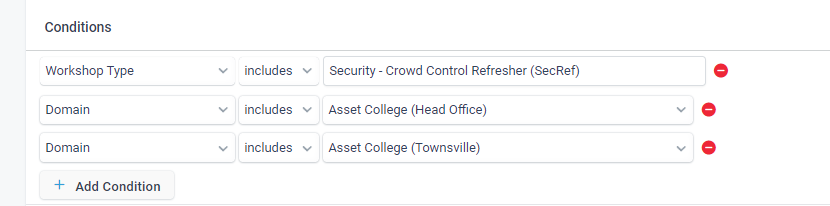
I've been shown how to set the standard email for the course setup and then set up a workflow to send the correct booking confirmation. Our participants now get two booking emails. Surely, this can be done better.
I am happy to hear a solution that will only send out a booking confirmation email suitable to the course without duplicating the same short course to set up the automated booking confirmation based on the course. As this will be too much duplication.
-
Thanks, Pip. Yes, I can do that. It's only the automated booking confirmation that's attached to a short course.
eg. CPR - when set up, an automated booking confirmation email has to be set.
However, to send a different one based on location with different instructions, I either have to set up a duplicate course eg, 3 locations would require 3 CPR courses set up, and then set the booking confirmation to the email I want. Or, I set up a workflow if I don't want to duplicate the same short course, and it will then send the standard booking email + the workflow one that is set up.
So the participant gets two emails. It's only the booking confirmation that has to be done like this.
Everything else can go into workflows.
I so hope there's a solution to this.
-

Hi Michelle,
We deliver short courses but don't have automatic booking confirmations. We have different templates set up and choose which one we want to send. The only time when the automated confirmation is sent and therefore has to be generic is when students are enrolling online. Is this what you mean?

Please sign in to leave a comment.
Comments
4 comments