"Start Your Course Here" Button on Learner Portal Home Page
Answered
Can we have a "Start your course here" button that changes to "Continue learning" after course commencement, on the Learner Portal Home Page and the Course Overview page? Learners don't realise they have to click on the course title, then the Learning Plan tab to start the course. Learners are also missing the "Up next" in the left-hand column. However, they may also be enrolled in multiple courses so the "Up next" button is confusing.
-
Official comment

Hi Cindy,
Firstly, thanks for your feedback. There are a couple of settings in the Learner Portal & App Settings area that I think may help:
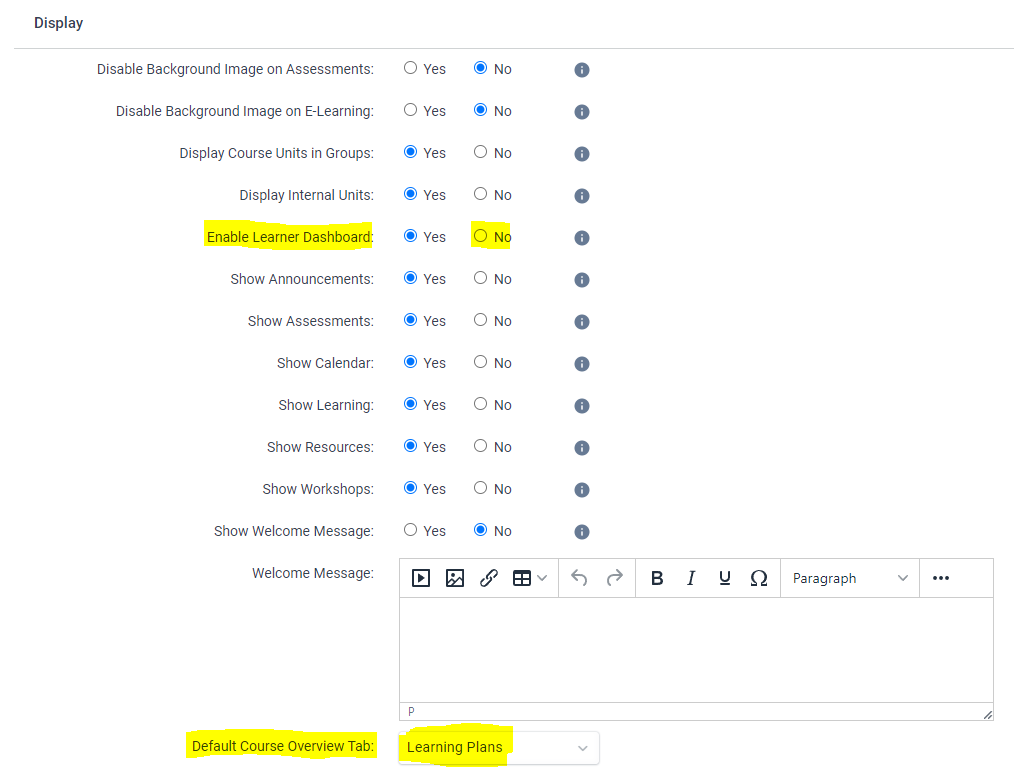
- Disabling the dashboard will jump the learner right into their course (They can switch enrolments via the dropdown select in the top left)
- If the default tab is 'Learning Plans' (and the dashboard is disabled), when logging in, the first thing a Learner will arrive at will be their Learning Plan
Hope these help!
Comment actions

Please sign in to leave a comment.
Comments
2 comments