Be able to set maximum and minimums on grouped workshops

We use grouped workshops for our courses that are run simultaneously, we currently have to track numbers in each workshop but it would be good if the minimums could be set at the group level and controlled from the group.
Or linked together somehow so that numbers can be more easily tracked.
And display the full group workshop numbers on the calendar, not just the main workshop
-

Hi Pip,
Great idea, we asked our own IT team to implement a formula to calculate all the numbers in the group workshop and book out all workshops in that group once it had reached our max number.
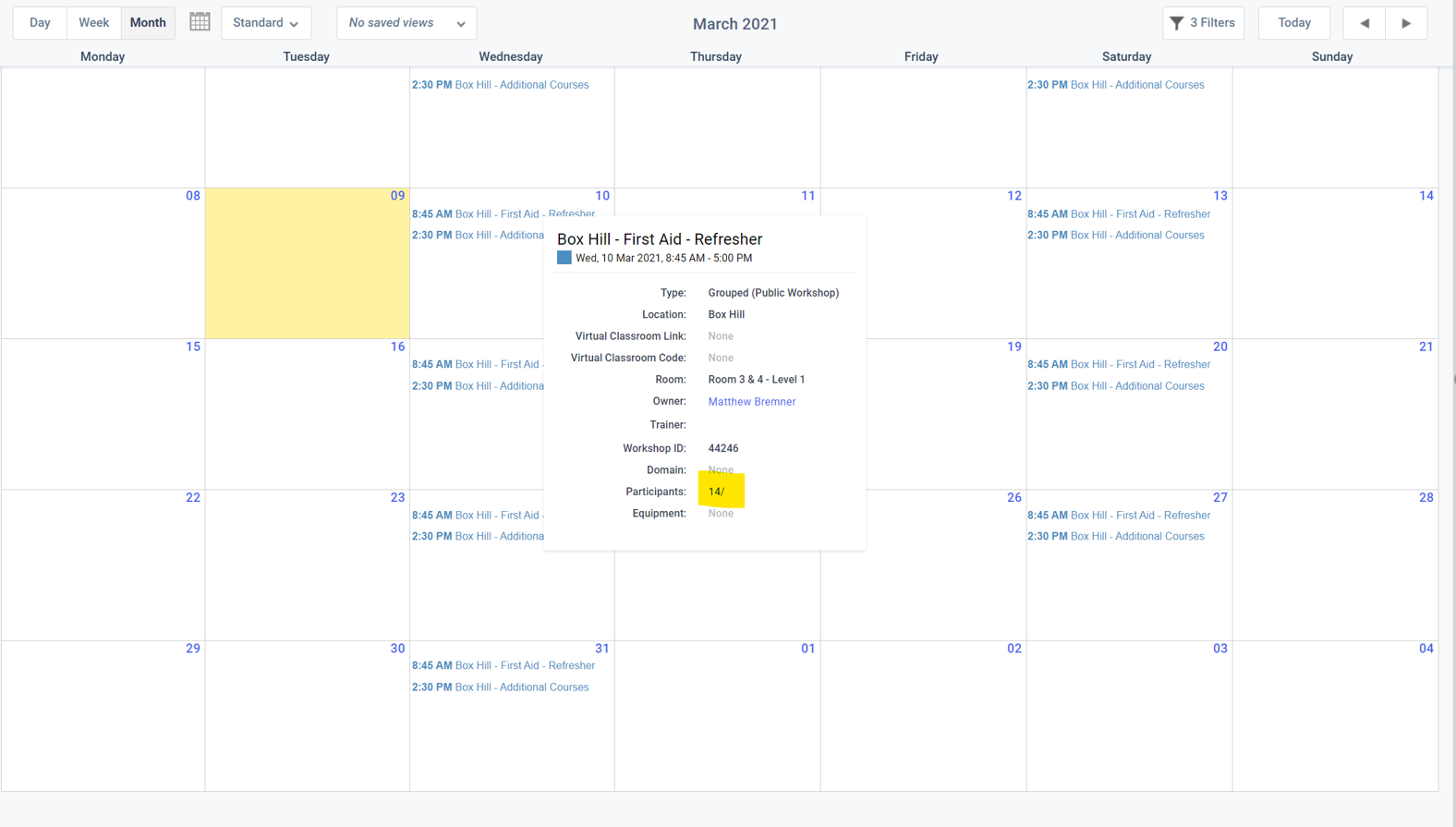
In terms of the calendar, i do know that when we hover over the group, it gives us the overall number of all participants in that group, not just the key workshop.
Have a great week :)
-
Thanks Matthew, is your IT team doing this via exporting reports and setting up a zapier or something?
We have our calendar set to show students numbers and display the grouped workshop on the calendar but for some reason, it only shows the maximum number allocated to the main workshop and not the combined maximum, although it shows the combined booked, so it doesn't really give the team a true sense of remaining availability and they have to open the group and manually count it each time which is silly.
Grouped workshops used to show the combined total but stopped sometime last year so I think it might be a bug in aXcelerate.

-
Hi Pip,
We couldn't use aXcelerate's online booking feature as we combine courses together and a few other factors.
So, our IT team set up a formula which calculates the total participants in grouped workshops. Once it reaches the maximum figure (lets say 15), it removes the particular location & date on our online booking system so participants can't book into it.
We don't use any of those filters in the calendar which you have in your image above and it gives us the total number of students in the group, i wonder if you remove those filters will that help?
Please sign in to leave a comment.
Comments
4 comments