Issues with formatting

Hi All,
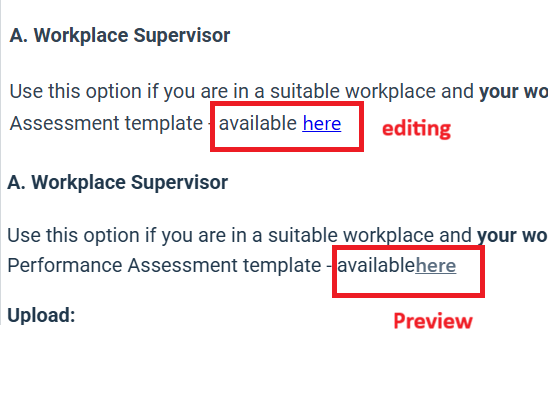
An update (around one month ago) to formatting in Axcelerate seems to have broken spacing for all of our learning plans. Is there anyone else who is having this issue? The only way I can fix the errors, is by removing every spacing with an Enter, and replacing it with Shift+Enter.
When you look in the text editor, it all looks perfect.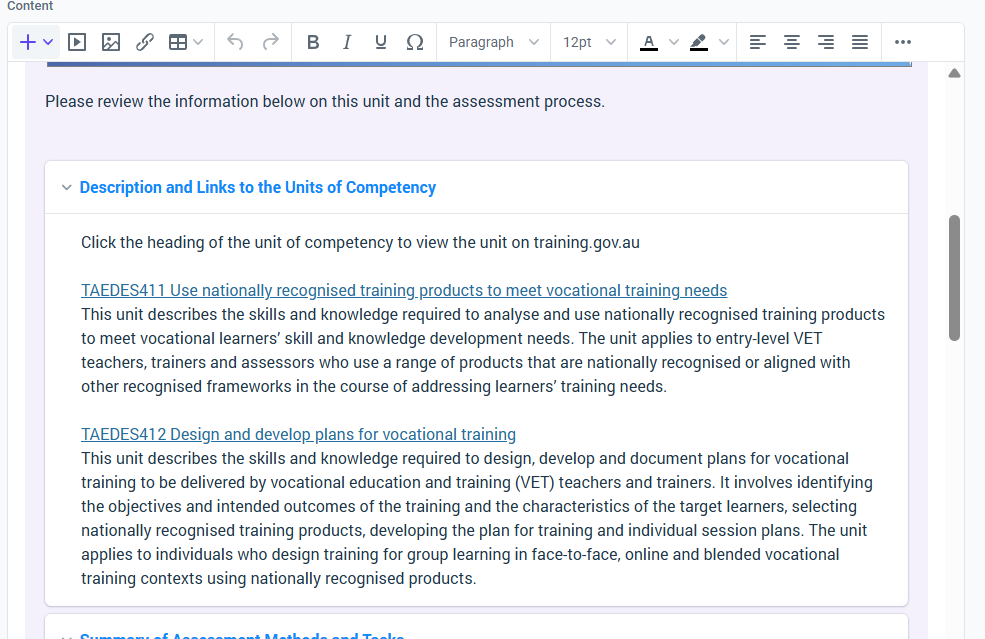
When you look at is as a learner, it is horribly chunked and creates massive cognitive overload.
As I mention, if I remove the "Enters" and replace them with Shift+Enter this will fix it. This is not the correct method for spacing in a text editor. This only occurred around a month ago. All of our learning plans have been affected. I would have to go through hundreds of learning plans (replacing every paragraph spacing with "Shift+Enters") to fix this.
Can Axcelerate please rollback all settings for the text editor to how it was, so that all of our learning content is chunked correctly for our learners?
Thank you
Tom



Please sign in to leave a comment.
Comments
3 comments