Assessment Mapping 2.0 🤯
Answered
Assessment mapping is one of the important features of the RTO to ensure that the course we deliver and assess is comply with the guidance from training.gov.au.
aXcelerate has this feature included but in my opinion, it currently needs a lot of manual and time-consuming work by dragging and dropping each connection one-by-one, compared to the conventional way of doing it through an excel spreadsheet.
3 suggestions for the mapping assessment feature:
1. multi-select - instead of drag and drop per connection between elements and assessments, would be great to have the ability to create multiple connections and delete multiple connections
2. superseded unit - when the Unit has been superseded, instead of mapping the current assessment from scratch, we could import the mapping from the superseded unit by dragging and dropping the element
3. Mapping Review - currently we can only print/ export the mapping review with all assessments, including archived assessments. it would be great to have the ability to filter the assessment that we want to export, including the view option (show/ hide/ compact)


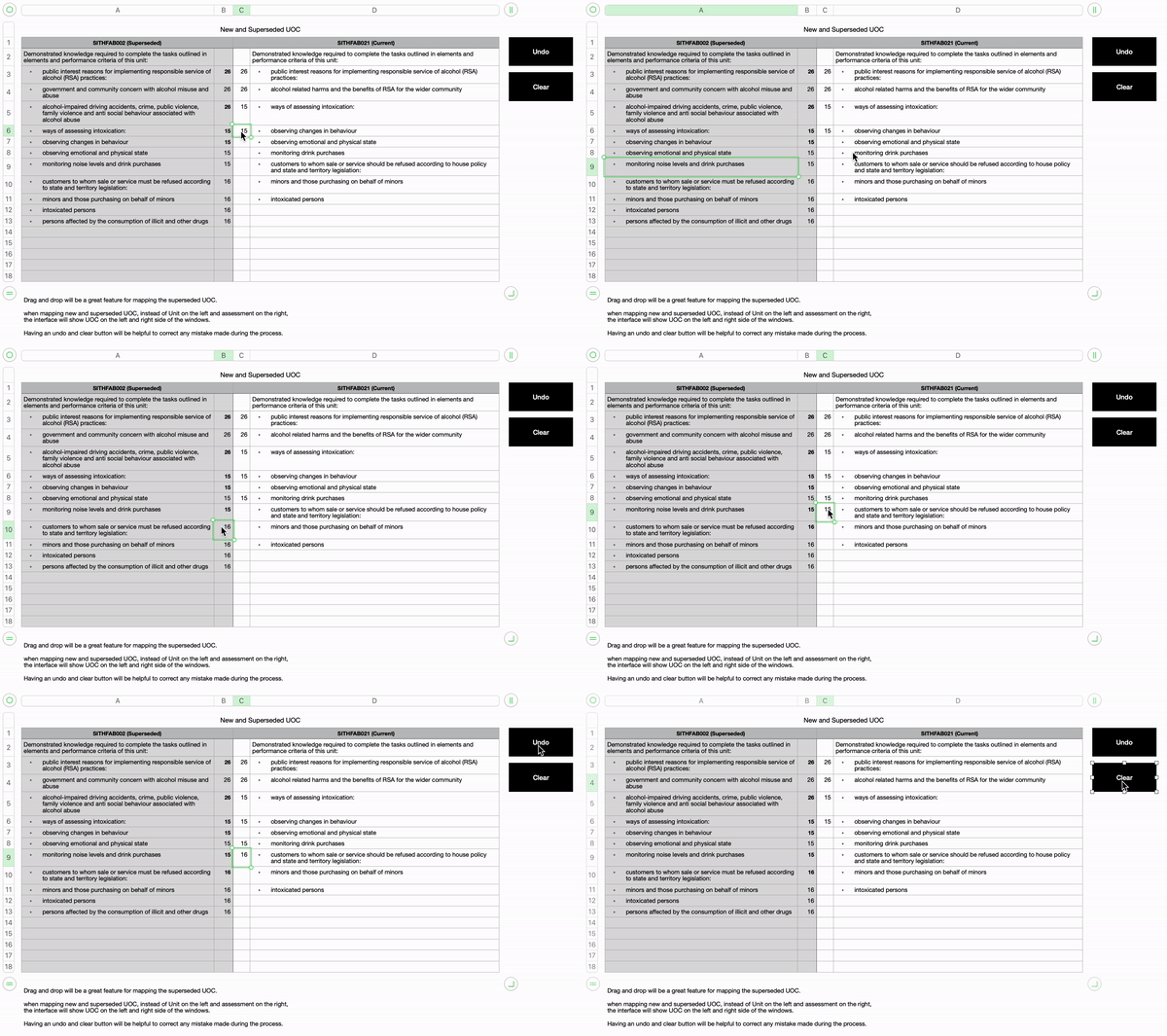
-
Official comment

Hi Kennard,
Thank you for your feedback and suggestions. We're looking at some new ways to map assessment items in some upcoming changes to our Assessment Authoring area. It's great to get your insight and what you've presented is definitely closer to the process we'd like to have.
Regards,
Sam
Lead Product Designer
Comment actions


Please sign in to leave a comment.
Comments
5 comments