Undo the latest update to Bulk Update Assessment Details!
Not planned
Why do aXcelerate make UI changes to things that are working fine without consulting us?
This latest update that has put the assessments onto pages of 10 instead of showing all on a single page is frustrating. For any courses that have more than 10 assessment tasks it doubles the amount of time required to do bulk updates and I can guarantee it will result in assessments being missed because trainers didn't realise there was more than one page.
Please change it back to how it was.
-

Hi Mark
We updated the table to improve page loading and user experience. It was causing serious performance impacts across our whole database, which is why we had to put a quick change in place.We appreciate that the current configuration is a change to the previous settings and we've got a follow-up task to restore the functionality to something similar to what it previously was.We apologise for the inconvenience. -

Noted that the new setup loads 10 records (students) per page with 10 assessments or if selecting 50 students it changes to only 5 assessments loaded.
During training today, it was taking about 20+ seconds to load each page of 10.
Agree Mark C that this can take a while if sorting through lots of assessments (in our case we have approx 50 assessments per qualification), so lots of scrolling by clicking Next >> to scroll across and update students.
On my computer right now, this is taking about 6-10 seconds to load either of the above scenarios (100Mbps connection, but I'm sure performance is more to do with server load and how many are on the system at once).
Mark G, thanks for the information update and hope the team and company is doing OK in the big brisbane floods.
Thoughts are with the team.
-
Hi Michelle
The update to this feature went live on the 23rd of March.
You will need to click the button to Show all Assessments, which will allow you to bulk update for an entire class.
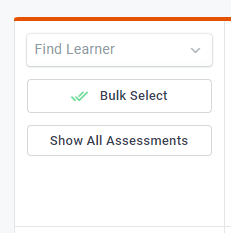
It's important to note you will not be able to display every learner AND every Assessment at once.
However, you will be able to update every learner and every assessment at once with this new method.
The performance issues that were being encountered were occurring because of the display of the page, which is why we had to modify it.

Please sign in to leave a comment.
Comments
4 comments