Work Based Learning - Detailed Reporting at Activity Level

We need the ability to report at an activity level, not just against minutes. For examples, a learner might have 4 x Activity Types available to them, with 5 activities in each type - so that means 20 activities that they could log entries against. Currently we can see how many log entries have been made and how many minutes have been logged, but there is no way to tell which of the 20 activities have had anything logged against them.
So we can check when a learner has completed all the assigned time for the placement, but there is no easy way to check if they have logged an entry against every activity. The only way to check is to review each log entry one by one, which is time consuming. The data is already in the system against the activity, please just give us a way to access it!
We want our learners to be able to progress through blocks, and open up new activity types as they go, but with no detailed reporting and no milestones this becomes very hard.
WBL is a great add on for the learner and the supervisor, but it is let down by the back end support for the admin staff.
-
Official comment

Hi Shane,
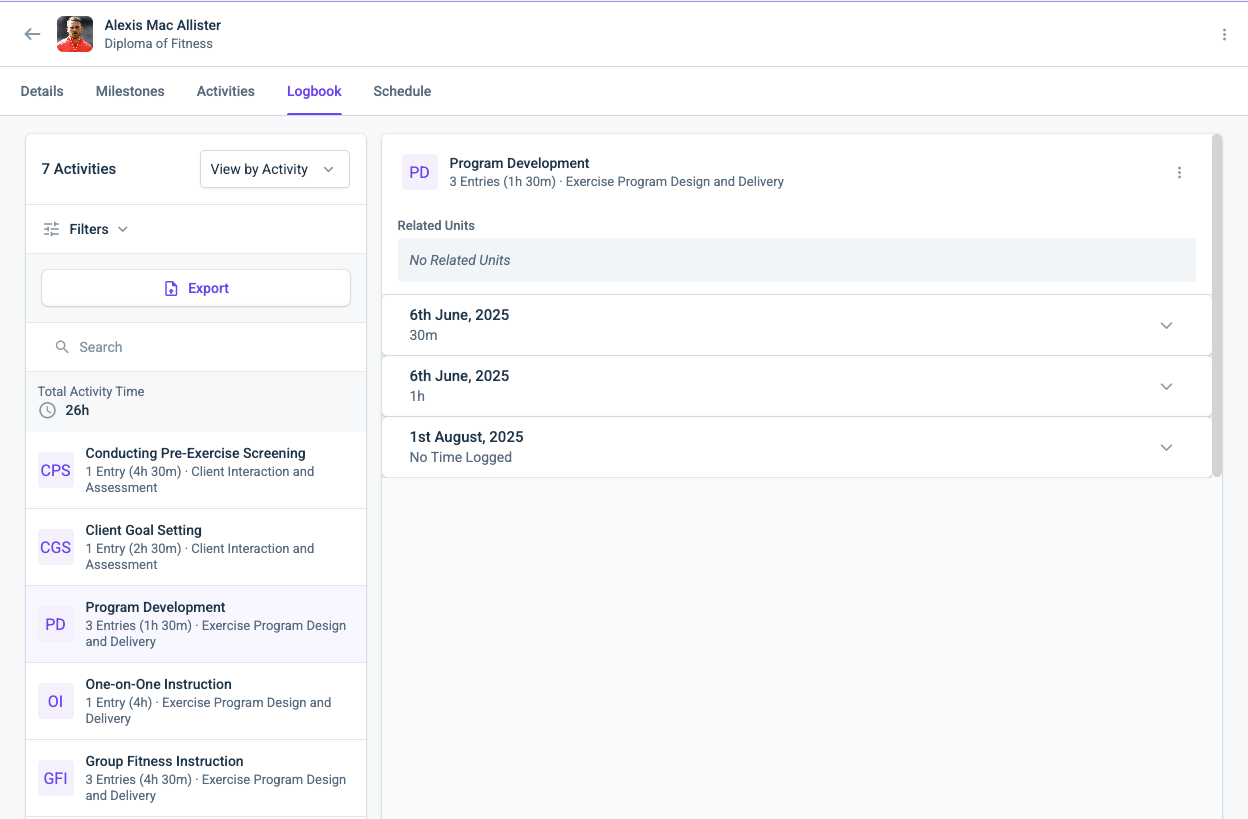
Within the Logbook you can change the view to look at log entries by Activity, which would give you a grouped list of all Log entries with that activity and their evidence.
You get can there by navigating from the Placements > Logbook > Change the 'View by Entry" to "View by Activity"
 Comment actions
 -
Hi Max,
The "View by Activity" option is still limited, it does not give a very clear picture of what activities have not had any hours logged against them.
We will generally have 3-4 Activity Types toggled on for WBL entries, which equates to beetween 15-25 individual activities. Even going View by activitiy does not give a clear picture for which activites are aligned to a particular activity type or UoC.
The export function is also next to useless for this. Ideally the export should generate a CSV file that shows all the entries and what activity, activity type and mapped UoC the entries are aligned to.
Having to filter between each activity type is time consuming for the admin staff, and the filter for "has entries" equals "no" does not show activities that don't have an entry (which it feels like it should...)
Please sign in to leave a comment.
Comments
2 comments