Learner Plans: Allow automatic UOC status updates without automatically updating start/end dates

We are an RTO delivering long-form qualifications.
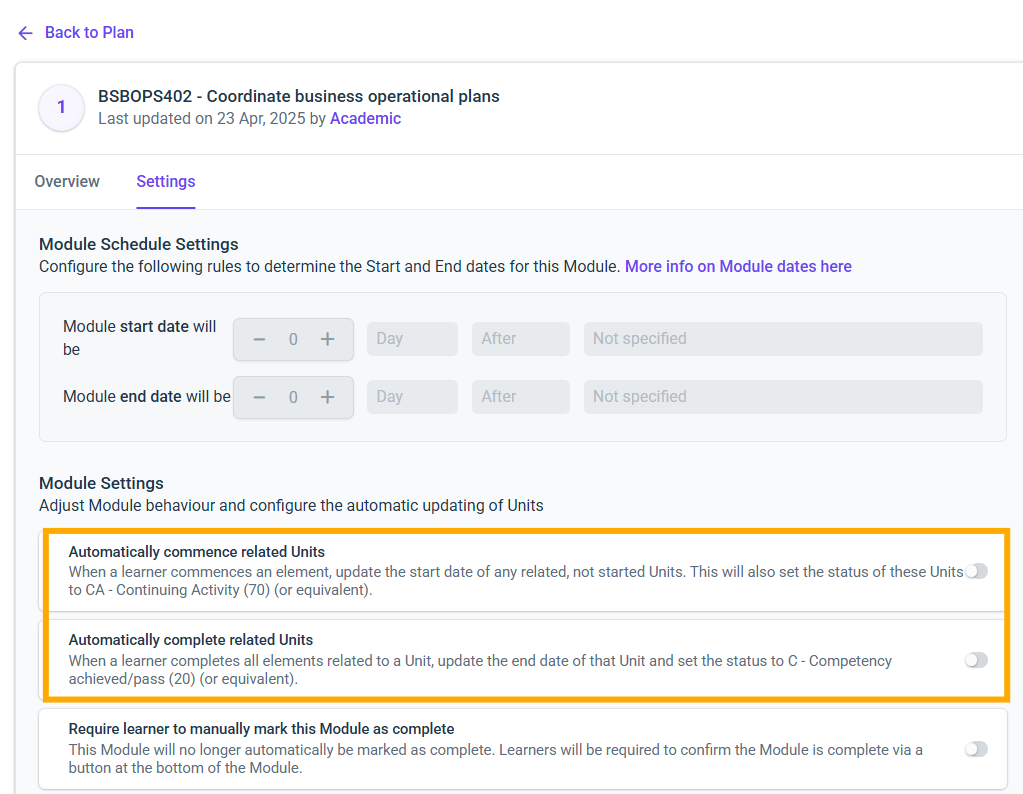
When enabling “Automatically commence related units” and “Automatically complete related units” at the module level in Learner Plan settings, aXcelerate currently auto-updates both:
- the Unit of Competency (UOC) status, and
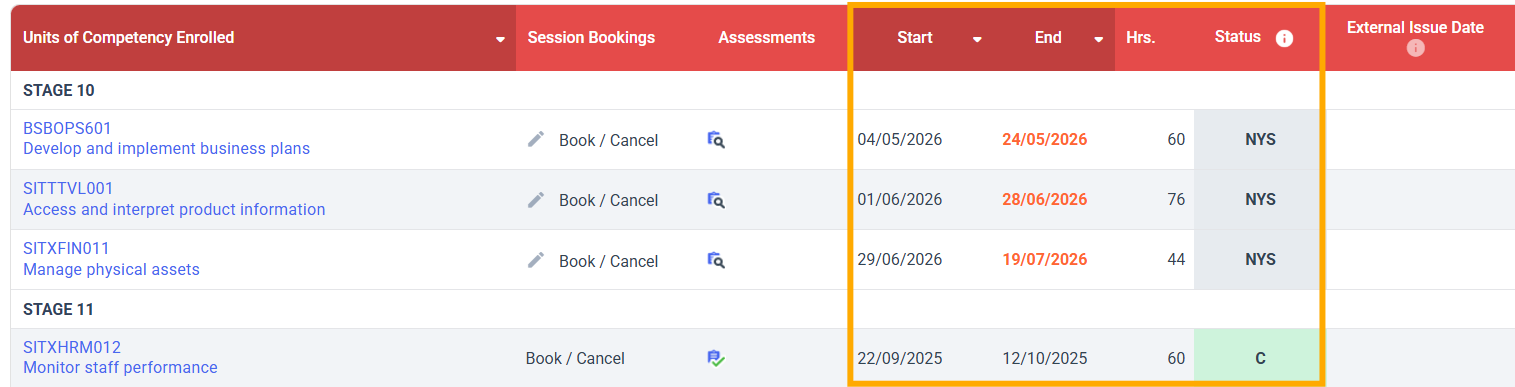
- the UOC/Class start and end dates
inside each enrolled student’s profile.
While the status auto-update is extremely helpful, the automatic date updates cause significant operational, compliance, and reporting issues for long-form courses.
Problems With Auto-Updating Unit Dates
Automatically updating UoC start/end dates results in several complications:
- Non-compliant or unrealistic dates (e.g., start date = when a student first opens a task)
- Incorrect AVETMISS hours and delivery periods
- Multiple attempts become misaligned with the course schedule
- Trainers do not (and cannot) always mark exactly on the date the class ends, due to reassessment cycles, holidays, or late submisisons.
- Large-scale manual correction of dates is not feasible, for example: 10 qualifications × 8 classes × 20 units × 20 students × 2 dates ≈ 64,000 UOC date corrections every year.
Because of this, we have had to keep these automation settings turned off, even though they would significantly reduce manual workload on the UOC status side.
In most educational institutions (universities/colleges), unit dates on transcripts remain fixed based on academic calendars, not based on when a student opened content or when an assessor marked an activity.
We would like aXcelerate to support this model as well.
Suggested Enhancement
Introduce a setting to separate status automation from date automation. Specifically:
- Allow “Automatically commence related units” and “Automatically complete related units” to update UoC status only,
- While leaving the UoC start/end dates as a separate setting, So that can still be used by other clients if needed.
This keeps the current functionality available for providers who rely on both, but allows long-form RTOs to opt-in to status-only automation.
Resulting Workflow
- Status tracking = automated (NYS/ CA / C / CNA)
- Dates = consistent, scheduled, and controlled by the RTO
- Zero conflict with delivery plans or reporting
Benefits
- Removes thousands of hours of manual corrections every year
- Ensures UOC dates remain compliant with training plans and audit requirements
- Prevents incorrect AVETMISS hours
- Supports multiple attempts and flexible marking timelines without compromising UOC dates
- Stops system-generated dates from overwriting RTO-defined dates
- Aligns with standard academic practice (fixed unit dates regardless of student activity timing)
Snips for Reference
- Learner Plan settings showing automatic commence/complete options
- Student profile showing UoC status and UoC dates
Please sign in to leave a comment.
Comments
0 comments