Add attachments to an email
Completed
Option to add attachments to an email.
I'd like to get others view on this, when you set up a class there is an option in the tool bar - communication - email. I would like to see add an attachment to this.
The bulk mail merge I'm finding is quite time consuming, you have to go through multiple steps 1 set up a group 2 search a student to add to a group and 3 collate material to send a bulk email (mail merge) add attachment, it would be a lot more user friendly and less time consuming if we can add an attachment to the email option.
By adding this tool it will reduce steps 1 - 3 above.
-
Official comment

Hi All,
It has been a long time coming, but we have just implemented this ability.
After our release on the 24th, you will be able to add attachments on emails sent from the communications area of a class.
Sorry this small took so long. I do agree there is a fair amount of inconsistency with emails across the system, however, changing/fixing that would be a much larger project. Hopefully this change will help for now.
Cheers,
Rod.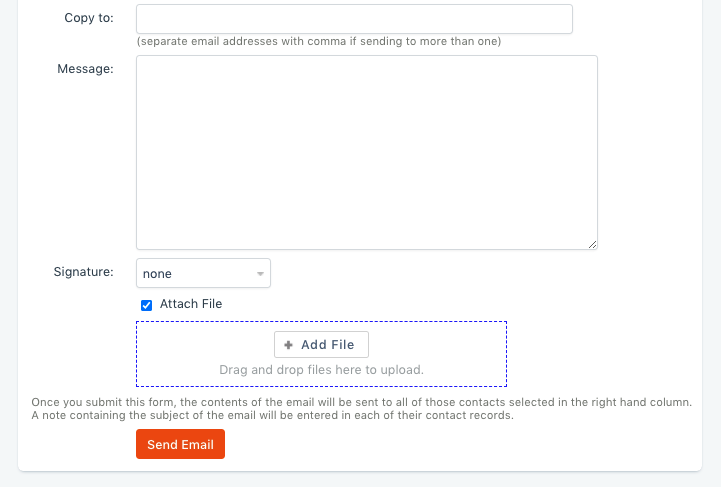 Comment actions
 -

Agreed. Our Educators often send emails to their Cohort (class) which requires them to attach something. The best way to send these emails is from the Communications > Email/SMS function because:
- these are not repeating communications (needing a Template),
- the attachments are not always something that is needed on a recurring basis (so doesn't make sense to add to resource library)
- there is no easy way to select a Cohort/Class when sending a one time mail merge.
It can also be very confusing for our staff to know which communication methods do and don't allow you to attach documents.
It would make sense if the ability to attach documents (from both the Resource Library and external to aX) were consistent across all areas in aX that you can send an email.
Thanks
-
I am going to comment on this again, as we are continuing to have issues in this area. We were provided with a 'work around' by the aX team of creating a Template with blank manual data field and then attaching to that. However the problem is the manual data entry only applies to the first student in the class (even if all students have checkbox applied) - you have to copy and paste the text and save to every single student using the drop-down at bottom right of screen.
This means educators are needing to either
a) email every student individually using one time merge email
b) email class out of Outlook and then upload as note to every student individually
Such a waste of staff time and risk of missing students and/or their records.
-

Team aX,
Why is the system so inconsistent?
Some places you can attach a file (but not multiple attachments) to emails
Some sections you can send an email without a template, others require a template only
Some work with related fields, but mostly not (without a template)
Some we can edit signatures, others we cant
Some we can edit the subject line, others just use the template name
Bulk emails from classes/workshops are so common, yet we have to use templates, but can't add attachments, subjects, signatures etc etc
Seriously. Can't we develop a consistent email/SMS sending function and roll that out to every area that needs it?


Please sign in to leave a comment.
Comments
9 comments