Bulk Delete Instances - Assessment Screen

Hi Team,
We have found on many occasions we have instances (sometimes with enrolments) that we do not want or need - these could be from cancelled workshops or accidently created instances.
In this instance, we have a qualification that had many assessments and the course structure has now changed. We have removed 12+ assessments from the course. Although the students were not enrolled in the module/unit - they have somehow been added to the assessment instance.
As the assessment is no longer part of the class, we want to remove/delete all these instances and assessment enrolments - however we have over 1000 and it needs to be done manually.
Having a simple "remove enrolment and delete instance" option would save literally hours of work. Or a bulk delete to remove the enrolments before then deleting instead of doing it one by one. 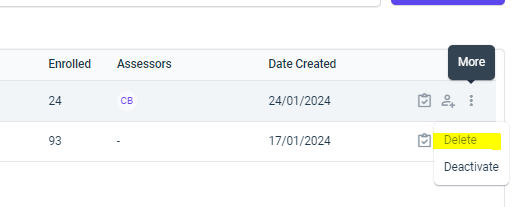
-

Hey Ash,
If you head to the timetable matrix and click on 'Bulk Update Assessment Details', you'll be able to select instances of assessments and sort by progress, instance type or by student, then bulk delete. Still not as quick as having a 'Mass-Delete Instances' option but might help save you guys some time in the intrim.

Please sign in to leave a comment.
Comments
2 comments